Can I force customers to select a department when placing an order?
Video
Text
Video
Text
1. Login to your Admin Dashboard - https://www.linentech.net/admin
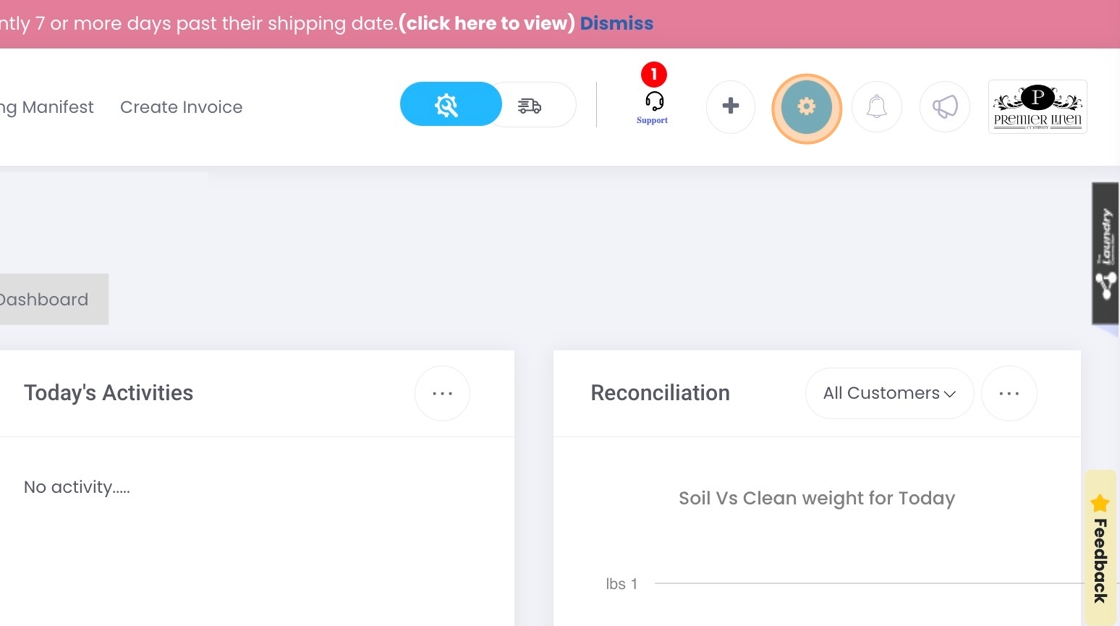
2. Click the gear icon to open the settings dropdown menu.
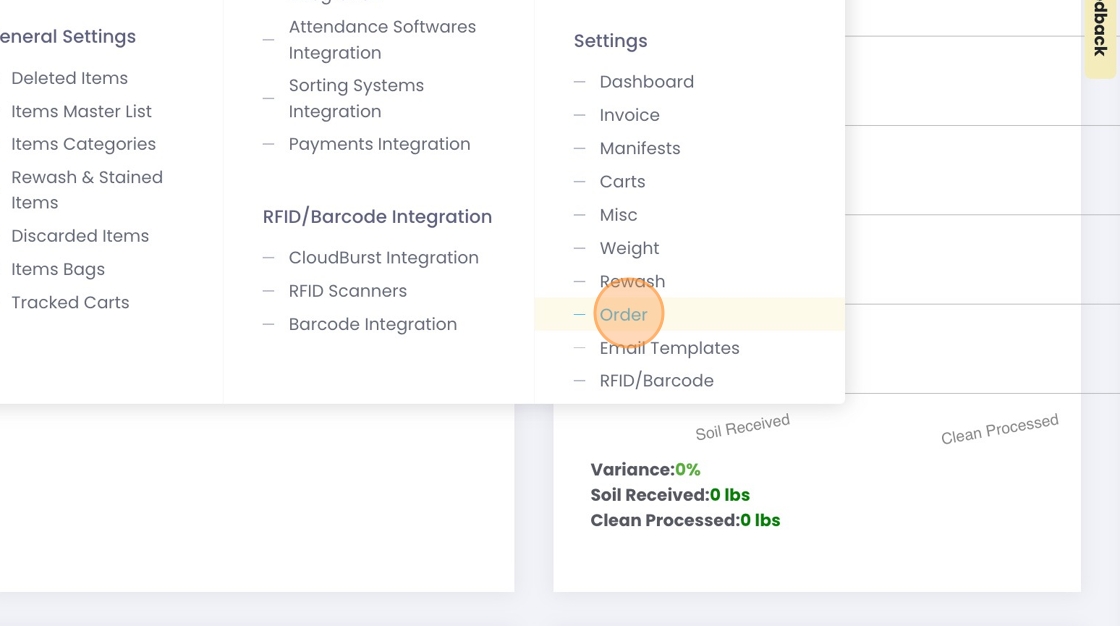
3. Click on "Order" to open Order Settings.
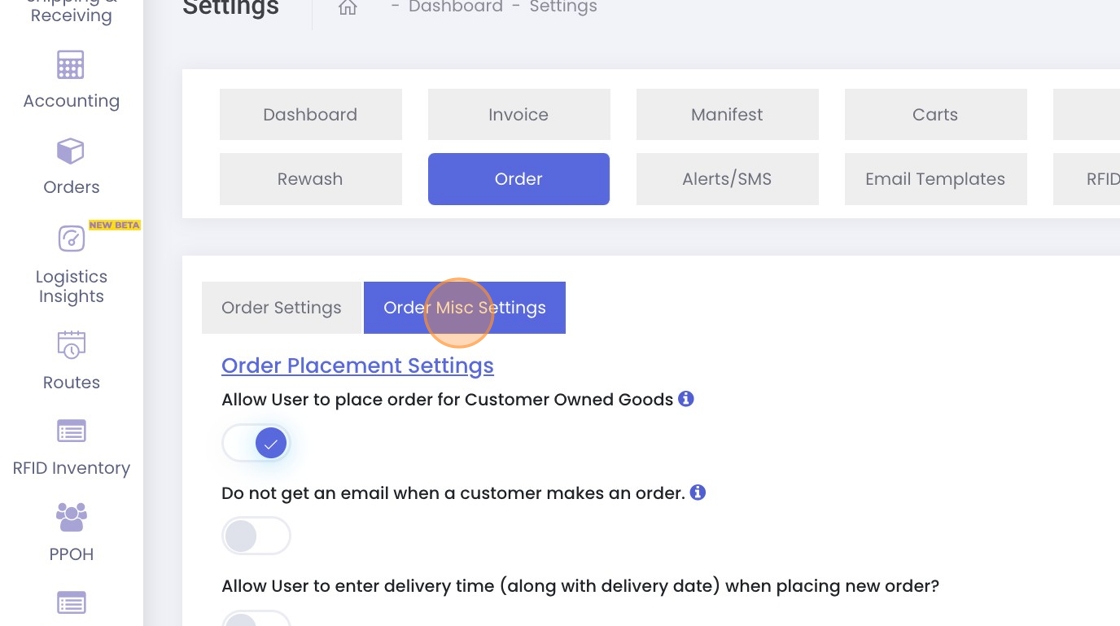
4. Click on "Order Misc Settings".
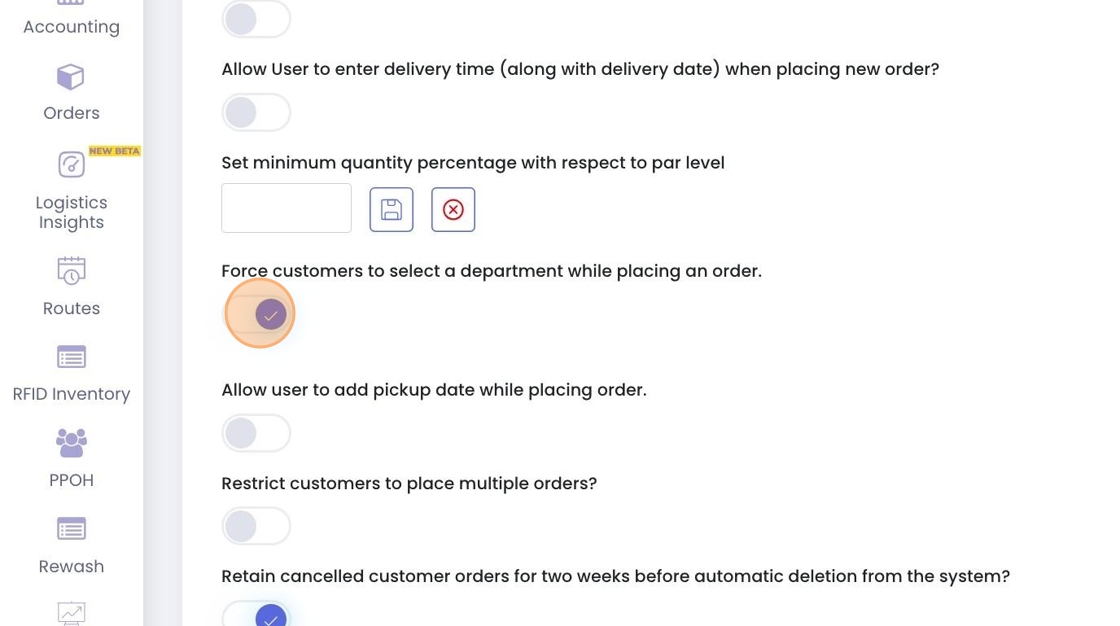
5. Enable the option to force customers to select a department when placing an order.
Related Articles
How can I place an order for my customers?
Video Text Video Text 1. Navigate to your Admin Dashboard https://www.linentech.net/admin 2. Click on Orders. 3. Click "Orders List" 4. Click "Add Order" 5. Select the customer for whom you are placing the order. 6. Select department if any. 7. Once ...How can I restrict a customer from placing multiple orders?
Video Text Video Text 1. Login to your Admin Dashboard - https://www.linentech.net/admin 2. Click the gear icon to open the settings dropdown menu. 3. Click "Order" under settings. 4. Go to "Order Misc Settings". 5. Enable the restriction to prevent ...Can I set inventory par for a customer at department level?
Video Text Video Text 1. Navigate to https://www.linentech.net/admin 2. Click on the + sign 3. Click "Department Par Level" 4. Click "Add Department Par Level" 5. Select Customer 6. Select Department 7. Select Days 8. Add the location ID 9. Select ...How can I restrict a customer from editing an order after it has been placed?
Video Text Video Text 1. Login to your Admin Dashboard - https://www.linentech.net/admin 2. Click the gear icon to open the settings dropdown menu. 3. Click "Order" under settings. 4. Go to "Order Misc Settings". 5. Disable the option that prevents ...How do I edit the order quantity in the Admin Panel?
Video Text Video Text 1. Login to your Admin Dashboard - https://www.linentech.net/admin 2. Click the "Orders" button to manage your orders. 3. Click the three-dot menu under the "Actions" column next to the order you wish to edit. Then, select the ...