How can we set up inventory par levels for a customer and bill them accordingly based on those levels?
1. Login to your Admin Dashboard - https://www.linentech.net/admin
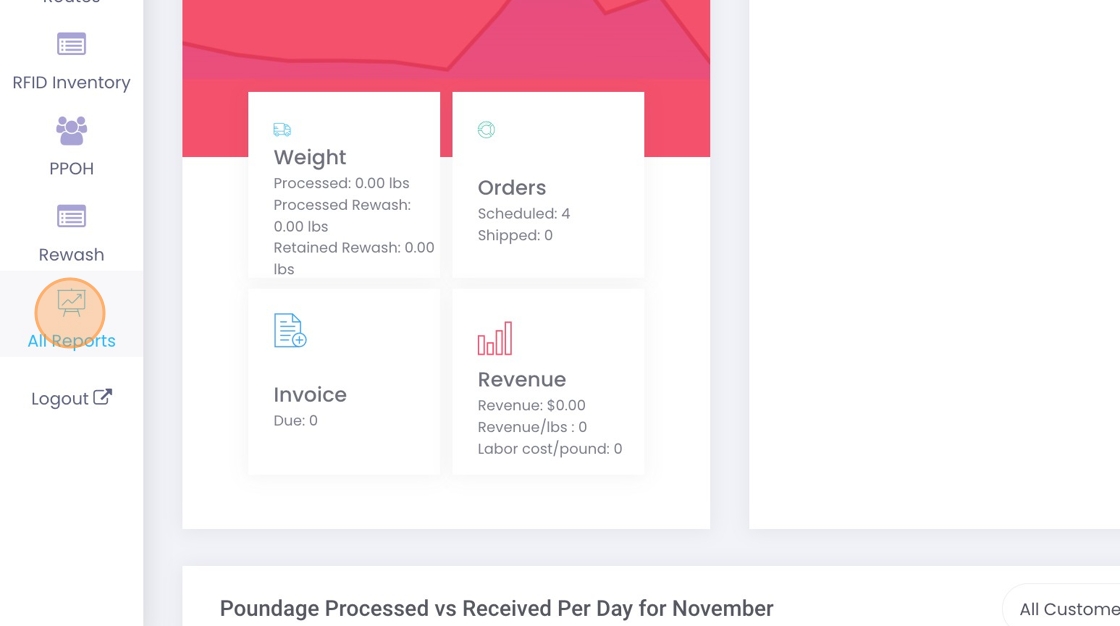
2. Click on "All Reports" in the left-hand column of your screen.
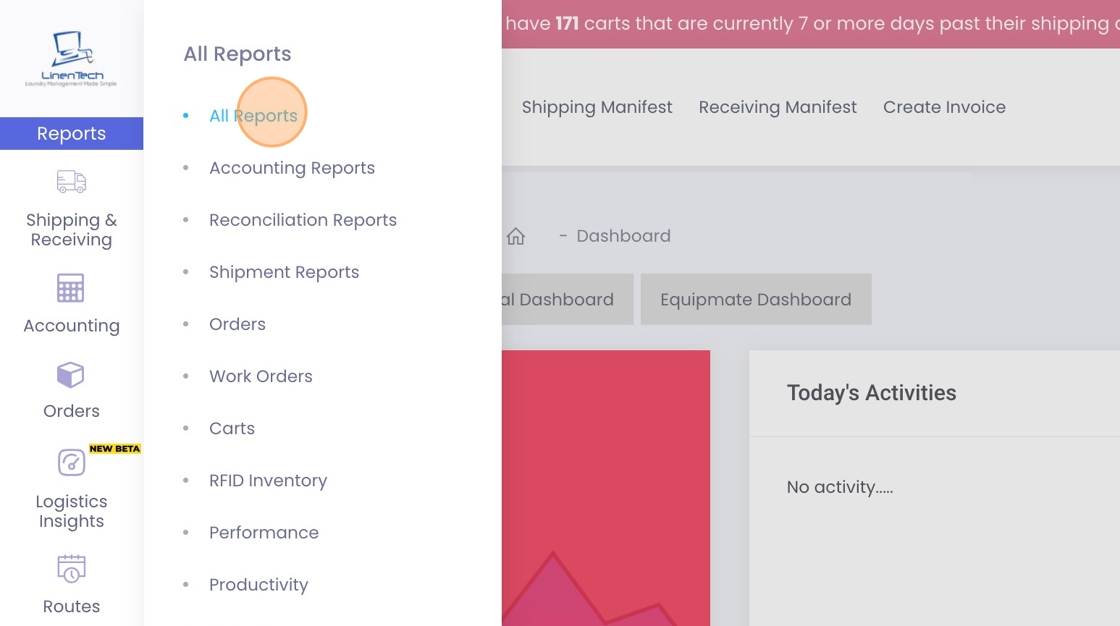
3. Click "All Reports"
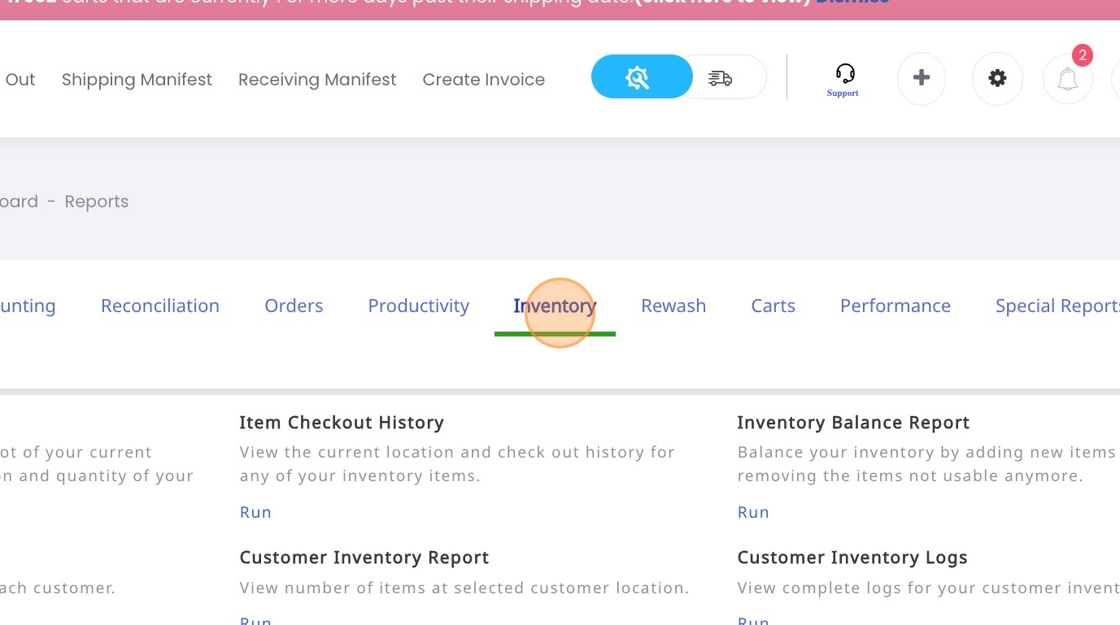
4. Click "Inventory"
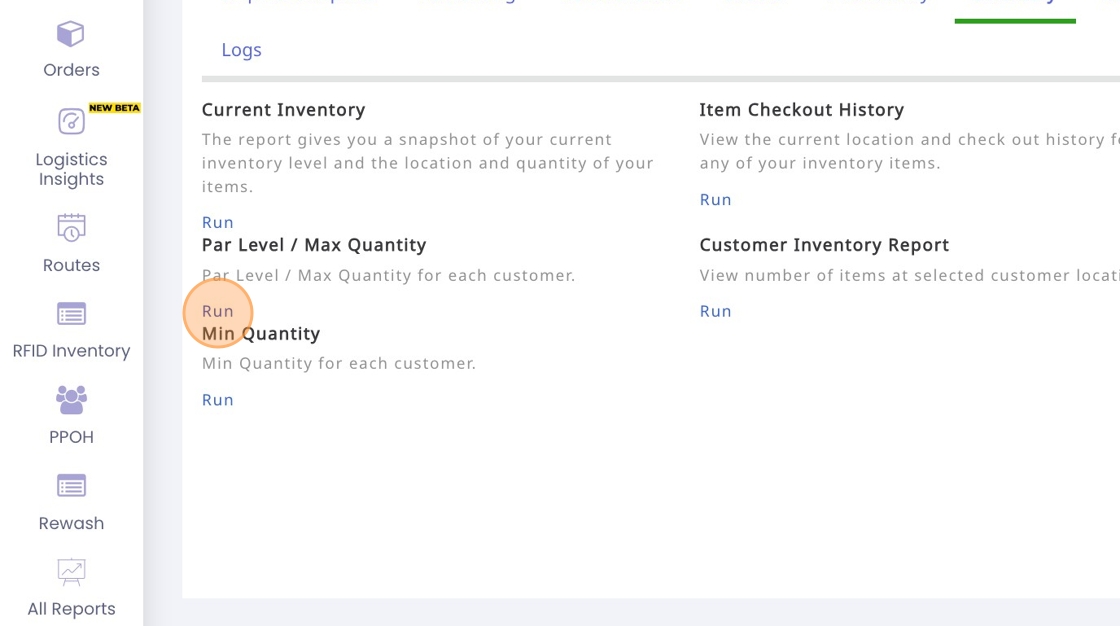
5. Click "Run" button under Par Level / Max Quantity.
6. Click the three dots under the Action button and select "Edit."
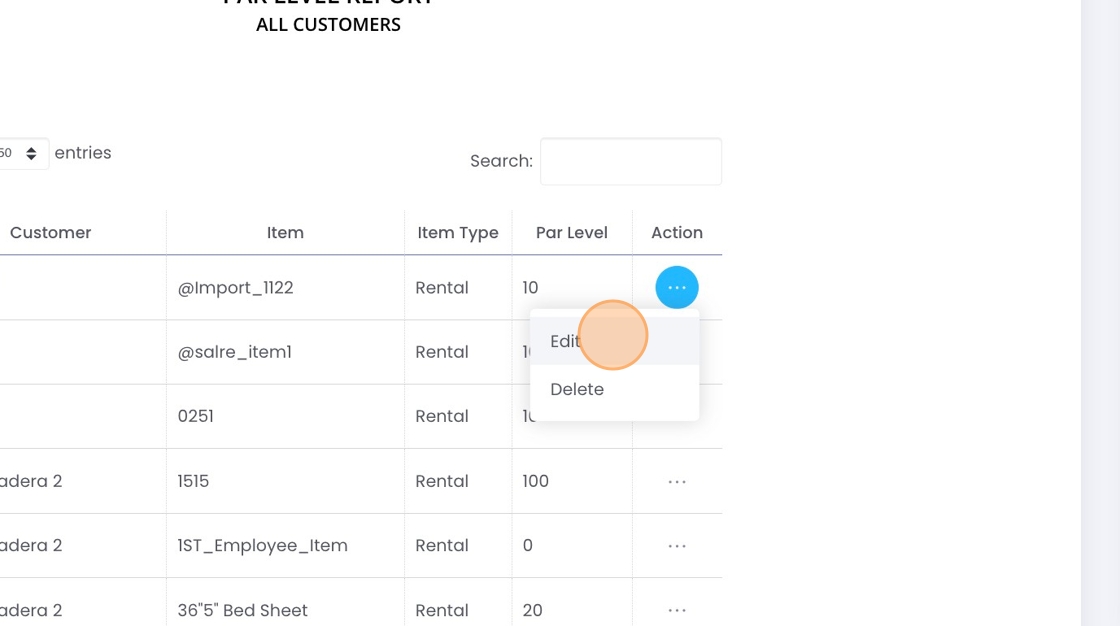
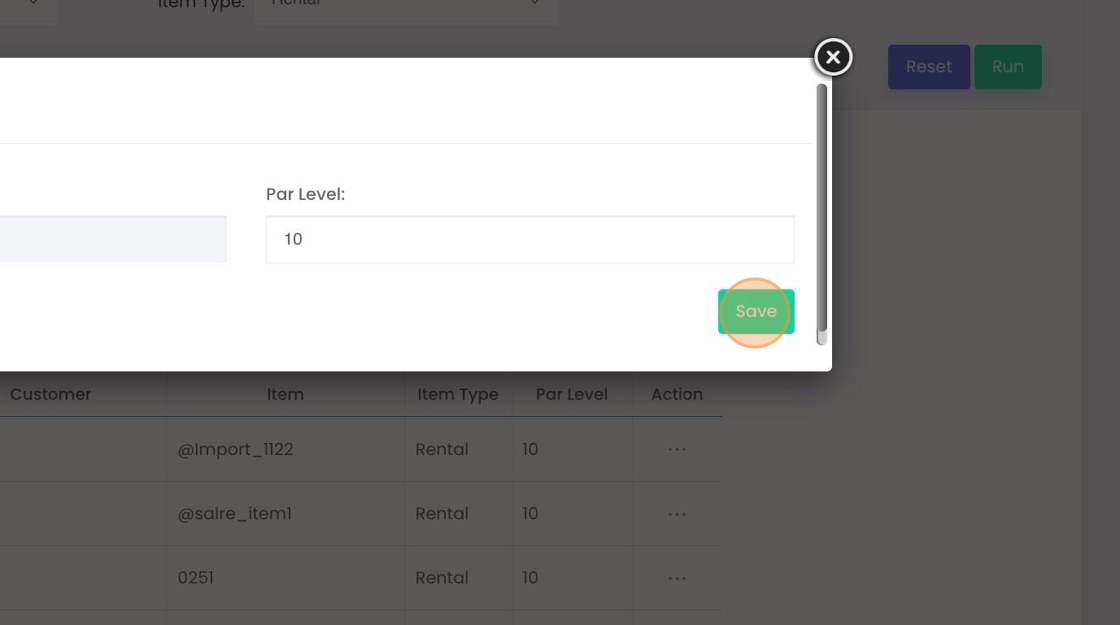
7. Select the appropriate part level and click the "Save" button once you have completed your changes.
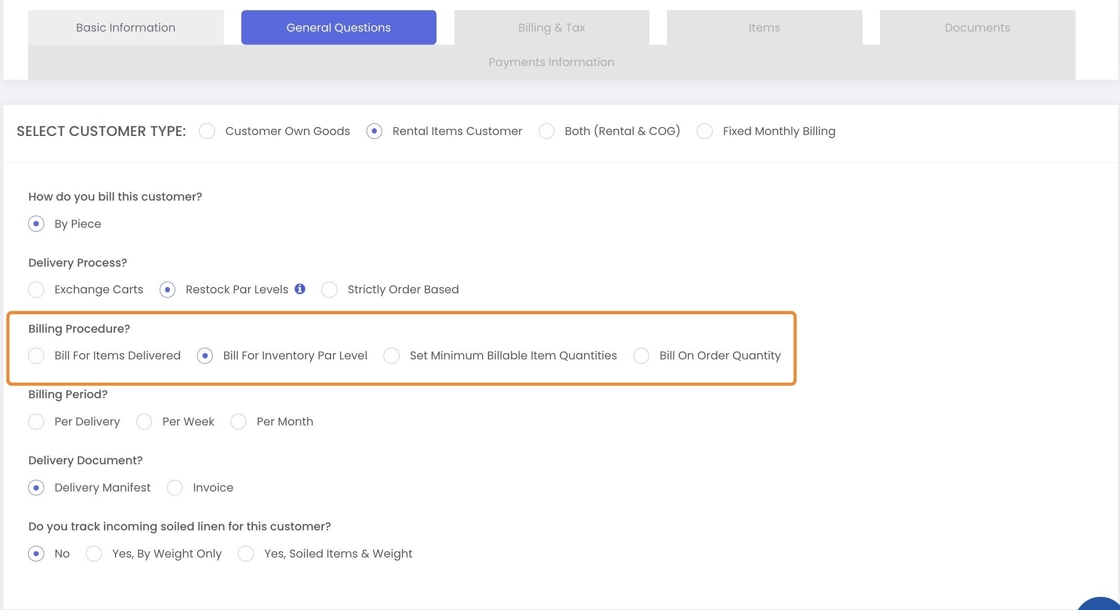
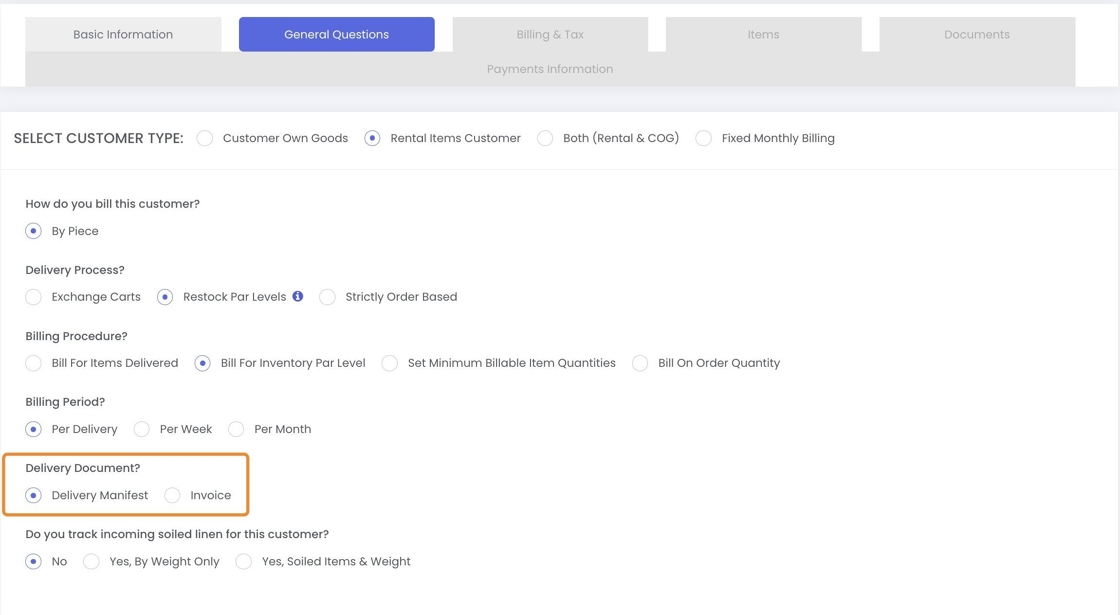
8. Additionally, there are specific settings that apply to inventory par levels in the customer's settings.
9. You can choose the appropriate billing procedure based on your needs:
- Bill for Items Delivered – Select this option if you want to charge for the items that have been delivered.
- Bill for Inventory Par Level – Choose this if you’re charging based on the inventory par levels you maintain with the customer.
- Set Minimum Billable Item Quantities – Select this option if you want to charge for the minimum quantities of items you’ve set for the customer.
- Bill on Order Quantity – Choose this if you only want to charge for the quantity the customer orders.
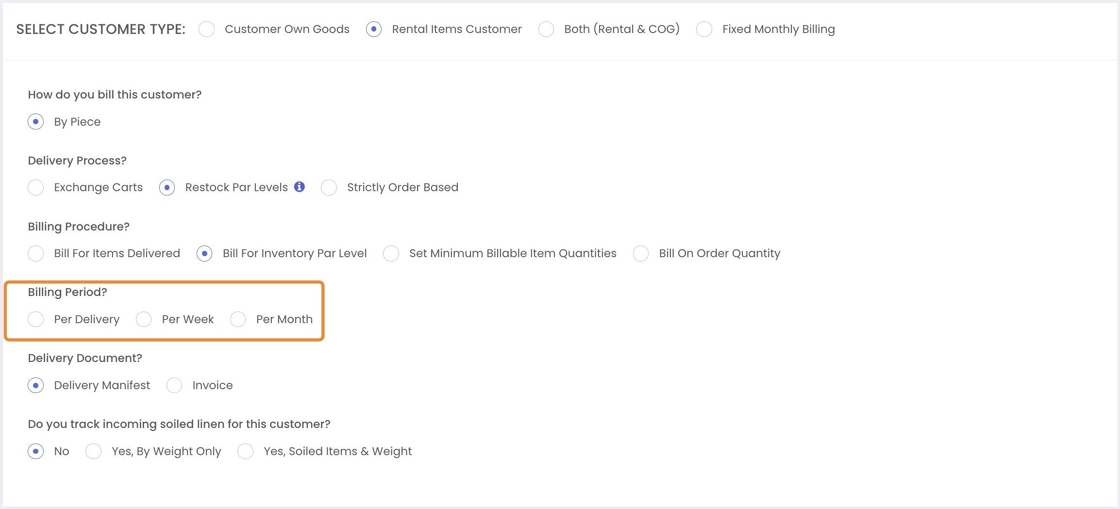
10. The billing period determines how often invoices are generated for a customer based on their deliveries. Since a customer may have multiple manifests (shipments) in a single day, week, or month, the billing period helps define how those manifests are grouped for invoicing.
Per Delivery
Each time a manifest (shipment) is created, an invoice is generated for that specific delivery.
Useful for customers who prefer to be billed per shipment rather than grouped invoices.
Per Week
All manifests (shipments) within a week are grouped into a single invoice.
Reduces the number of invoices for frequent deliveries while maintaining a structured billing cycle.
Example: If a customer has 10 deliveries in a week, they receive only one invoice summarizing all those deliveries.
Per Month
All manifests (shipments) within a month are consolidated into a single invoice.
Best for customers who prefer a monthly billing cycle instead of frequent invoices.
Example: If a customer has 30 deliveries in a month, they receive just one invoice covering all deliveries.
11. Delivery Document is a document that lists the items being delivered, including details like quantity
- If you want to send a delivery note/manifest with each delivery, select Delivery Manifest.
- If you want to create and send an invoice along with the delivery, select Invoice as the delivery document.
Related Articles
Can I set inventory par for a customer at department level?
Video Text Video Text 1. Navigate to https://www.linentech.net/admin 2. Click on the + sign 3. Click "Department Par Level" 4. Click "Add Department Par Level" 5. Select Customer 6. Select Department 7. Select Days 8. Add the location ID 9. Select ...How can I pack my order into multiple carts? Can I still bill according to the inventory levels?
Video Text Video Text 1. Login to your Admin Dashboard - https://www.linentech.net/admin 2. Click the gear icon to open the settings dropdown menu. 3. Click "Customers" 4. You can either add a new customer or edit an existing customer to apply the ...How to lock/unlock the minimum quantity when the minimum quantity percentage is set relative to the par level.
Text Video Text How to lock/unlock the minimum quantity when the minimum quantity percentage is set relative to the par level. This feature will only work if a percentage is set in the “Set minimum quantity percentage with respect to par level” ...We charge customers for a minimum quantity in our business. How do I set that up in LinenTech?
Video Video Text Text 1. Click on the gear icon. 2. Click "Customers" 3. Click on three dots next to the customer you wish to bill for the minimum quantities. 4. Click "Edit" 5. Click "General Questions" 6. Change the Billing Procedure to "Set ...How do I setup my inventory in the software? Does system remove damaged items from my inventory?
Video Text Video Text The inventory can be easily managed by the following steps. However, the damaged items are not removed automatically from the system. 1. Login to your Admin Dashboard - https://www.linentech.net/admin 2. Click on RFID Inventory. ...